Member Guide / Fuel & Refueling
Complete Guide to Using the Zipcar Fuel Card
Every Zipcar comes with fuel already included in the hourly and daily rate, and the way that Zipcar promise gets honored is the fuel card tucked inside the car. This guide walks through exactly how that Zipcar card works: where to find it, when you are expected to refuel, what counts as a proper receipt, and how reimbursements are handled on the rare occasions a Zipcar member pays out of pocket. If you have ever opened the sun visor, found a plastic card, and wondered what you were supposed to do with it, this Zipcar page is the plain answer.
The short version is that fuel is not a separate charge with a Zipcar. You do not stop at the pump with your own debit card and chase a refund later under normal conditions. Instead, Zipcar gives each vehicle a dedicated fuel card so that members can top up the tank during their reservation and keep the car ready for the next person, all without any money leaving their own pocket. The cost of fuel is built into what you already pay Zipcar for the time you book the car.
Key takeaway: the Zipcar fuel card belongs to the car, not to you. Use it to refuel, return it to the car, and never take it home. Fuel is included in your Zipcar rate, so the card is a convenience that keeps the fleet moving, not a line item you have to settle.
What the Fuel Card Is
The Zipcar fuel card is a branded charge card assigned to each individual vehicle in the Zipcar fleet. It is not linked to your membership or your personal payment method. When you swipe it at a gas station, the cost of the fuel goes straight to Zipcar rather than to you, which is why refueling with the card never shows up as a charge on your Zipcar account. Because it belongs to that specific car, the card stays with the car at all times.
You will usually find the Zipcar fuel card clipped behind the driver-side sun visor, though in some vehicles it lives in the center console or glove box. It is typically paired with the car and sometimes requires a short PIN or an odometer reading entered at the pump, both of which help Zipcar track mileage and prevent misuse. The card is intended for one job only: putting the correct fuel in the Zipcar you are driving.
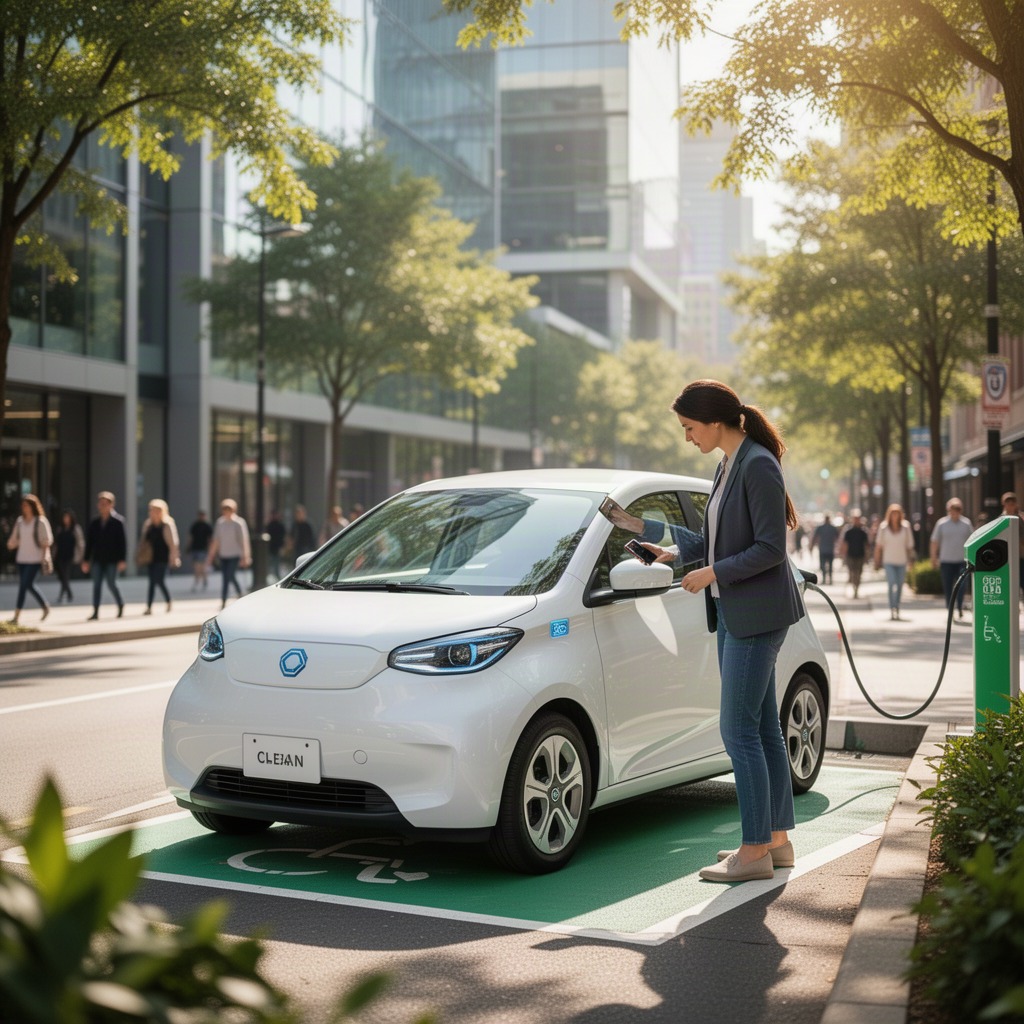
If a car runs on gasoline, the card covers gasoline. If you have booked one of the electric vehicles in the Zipcar fleet, the equivalent is a charging card or app access that lets you recharge at participating stations. The principle is identical in both cases, which is that the energy going into the car is on Zipcar, not on you.
Refueling Rules Every Member Should Know
The core refueling rule at Zipcar is simple and courteous: leave the tank at least a quarter full for the next member. If the fuel gauge drops below roughly a quarter of a tank during your trip, you are expected to stop and refill using the card in the Zipcar. This keeps the whole shared fleet usable, because the next person who books that vehicle should never find it near empty and have to start their own Zipcar trip at the pump.
Refueling is treated as part of being a good Zipcar member rather than an inconvenience. Zipcar asks members to top up before returning the car when the needle is low, and the fuel card exists precisely so that doing the right thing costs you nothing. Zipcar members who consistently return cars running near empty may receive reminders, because the model only works when everyone leaves the car ready.
Use the Correct Fuel Grade
Always use the fuel grade the car is designed for. For most vehicles in the Zipcar fleet that means regular unleaded gasoline, and paying for premium when the car does not require it is both unnecessary and wasteful. If a Zipcar has specific requirements, they are generally noted in the vehicle or in the car documentation. Putting diesel in a gasoline car, or the wrong grade in a performance model, can cause real damage, so when in doubt, choose regular unleaded and check the fuel door label.
Stay Within Your Reservation Time
Plan your stop at the pump inside your booked window. Refueling counts as part of your trip, so leave a few minutes at the end for it rather than running late. If you think you will need more time, extend your Zipcar reservation through the app before it ends. Returning the car late because you were at the gas station is still a late return, and Zipcar bills late returns the same way regardless of the reason.
Return the Card to the Car
After you refuel, put the Zipcar fuel card back exactly where you found it so the next member can use it. Taking the card home, even accidentally, strands the following driver and can leave you responsible for the problem. Treat the card as Zipcar fleet equipment that stays with the vehicle, the same way the keys stay with the vehicle at the end of your Zipcar trip.
Quick Reference
- Refuel when the tank drops below a quarter full, and top up before returning the Zipcar.
- Pay with the fuel card found in the car, never with your own money under normal conditions.
- Use regular unleaded unless the Zipcar specifies otherwise.
- Keep the receipt if the station or the app asks for it, and return the card to the car.
- Finish refueling inside your Zipcar reservation window to avoid late charges.
How to Use the Fuel Card at the Pump
Using the Zipcar card is close to a normal card transaction, with one or two extra prompts. Pull up to the pump, locate the card in the car, and follow these steps so the fuel charge goes to Zipcar cleanly.
- Park at a pump that sells the correct fuel grade for your Zipcar.
- Find the fuel card, usually behind the driver-side visor, in the console, or in the glove box.
- Insert or swipe the card at the pump. If prompted, enter the PIN or driver ID that came with the Zipcar card.
- When asked, enter the current odometer reading from the dashboard. This is how Zipcar matches fuel to the trip.
- Fill the tank, then collect any printed receipt the pump offers.
- Replace the cap, close the fuel door, and return the card to its spot in the Zipcar.
If a pump will not accept the card at the terminal, you can usually take the card inside and have the cashier run it, then pump as directed. If the Zipcar card simply will not work anywhere, that is when the reimbursement process below comes into play, so hold on to every receipt.
Receipts and Record Keeping
When you pay with the Zipcar fuel card, you generally do not need to do anything with the receipt, because the transaction already posted to Zipcar. Even so, it is wise to grab the printed slip and keep it until your trip ends. A receipt is your proof of what happened at the pump if a question ever comes up, and it takes only a second to pocket.
Receipts become genuinely important the moment you pay for fuel with your own money. If you ever cover gas out of pocket, the receipt is what makes a Zipcar reimbursement possible. Without it, Zipcar has no record tying the expense to your reservation, so a lost receipt can mean a lost refund. Treat any out-of-pocket fuel receipt as something to protect until the money is back in your Zipcar account.
A good fuel receipt for reimbursement purposes shows the date, the station, the fuel amount and price, and ideally the vehicle or pump details. If the receipt is faint or incomplete, take a clear photo immediately, because thermal paper fades. Note which Zipcar you were driving and the approximate time, so your record lines up with the reservation on your Zipcar account.
Habit worth building: snap a photo of every fuel receipt before you leave the pump. Even when you paid with the Zipcar card and expect no follow-up, a photo costs nothing and saves you if a Zipcar charge is ever disputed.
Reimbursements When You Pay Out of Pocket
Because fuel is included in your Zipcar rate, paying for it yourself should be the exception, not the routine. It happens when the fuel card is missing from the car, when a pump refuses the card, or when a station outright will not accept it. In those situations Zipcar expects you to still refuel the car to the quarter-tank standard, pay with your own method, and then request a reimbursement from Zipcar afterward.
To get reimbursed, contact Zipcar member services after your trip and report the out-of-pocket fuel expense. You will be asked for your reservation details and the receipt, which is why the record keeping above matters so much. Zipcar reviews the claim against your trip and, once it checks out, credits the amount back to you. Keep your expectations realistic on timing, because Zipcar reviews and credits can take several days to process.
A few practical notes make reimbursements smoother. Report the problem to Zipcar promptly rather than weeks later, since fresh claims are easier to verify. Submit the receipt exactly as issued, with no alterations. If the fuel card itself was missing or broken, mention that clearly, because it tells Zipcar there is a card to replace in that vehicle, which helps the next member too.
| Situation | Who Pays | What You Do |
|---|---|---|
| Fuel card works at the pump | Zipcar | Refuel, return the card, keep the slip |
| Pump rejects the card | You, then Zipcar reimburses | Pay yourself, save receipt, request credit |
| Card missing from car | You, then Zipcar reimburses | Pay yourself, report missing card, request credit |
| Tank above a quarter all trip | Nobody | No need to refuel at all |
Electric Vehicles and Charging
The fuel-included promise extends to the electric cars in the Zipcar fleet, where the fuel card is replaced by charging access. Instead of swiping at a pump, you tap or connect at a participating charging station, and the charging cost is covered by Zipcar the same way gas is covered for a petrol car. The quarter-tank courtesy becomes a charge-level courtesy, so leave enough range in the battery for the next Zipcar member.
Charging takes longer than filling a tank, so plan ahead if you are driving an electric Zipcar on a longer trip. Start a charge while you run an errand rather than waiting at the station, and confirm the car has a reasonable range before you end the reservation. If a charging session fails to bill through the Zipcar method and you end up paying, the reimbursement process is the same as it is for gasoline, with the receipt as your proof for Zipcar.
Common Mistakes to Avoid
Most fuel-related issues at Zipcar come down to a handful of avoidable slips. Knowing them in advance keeps your Zipcar trip clean and your account charge-free.
- 01Using your own card by habit when the Zipcar fuel card was in the car the whole time. Check the visor first.
- 02Walking off with the card, which leaves the next Zipcar member stranded and can make you liable.
- 03Returning the car near empty, which breaks the shared model Zipcar runs on.
- 04Putting in the wrong fuel grade and risking damage you could be charged for.
- 05Tossing the receipt before a Zipcar reimbursement is confirmed.
Handling Fuel on Your Next Trip
Put all of this into practice with a short routine you can run every time you drive a Zipcar.
- Locate the card at the start. When you unlock the Zipcar, check that the fuel card is where it should be. Knowing it is there saves you from paying out of pocket later.
- Watch the gauge. If the tank drops below a quarter during your trip, plan a stop before you return the Zipcar.
- Refuel with the card. Use the Zipcar fuel card, enter the odometer reading if asked, and fill with the correct grade.
- Keep the receipt and return the card. Snap a photo of the slip, then put the card back in the Zipcar for the next member.
- Report any problem. If the card failed or was missing, contact Zipcar after your trip with your receipt to request reimbursement.
Frequently Asked Questions
Do I have to pay for gas in a Zipcar?
No. Fuel is included in your Zipcar rate. You refuel using the fuel card kept in the car, so the cost goes to Zipcar rather than to you under normal conditions.
Where is the fuel card in a Zipcar?
It is usually clipped behind the driver-side sun visor, and in some cars it sits in the center console or glove box. The card stays with that specific Zipcar at all times.
How full should I leave the tank?
Keep it at least a quarter full for the next Zipcar member. If the gauge drops below that during your trip, refuel with the card before you return the Zipcar.
What if the fuel card does not work?
Pay for the gas with your own method, keep the receipt, and contact Zipcar after your trip to request a reimbursement. Report that the card failed so Zipcar can fix the issue for the next driver.
Can I take the fuel card with me?
No. The card belongs to the car. Always return it to the same spot in the Zipcar so the next member can refuel, just like you return the keys to the Zipcar.
How long does a fuel reimbursement take?
Once you submit your receipt and reservation details, Zipcar reviews the claim and credits the amount back to you. Allow several days for the Zipcar process, and report the expense promptly to keep it moving.
What fuel grade should I use?
Use regular unleaded unless the Zipcar specifies otherwise on the fuel door or in the vehicle documentation. The wrong grade can damage the car and leave you responsible.
Why Included Fuel Matters to Car Sharing
The Zipcar fuel card is a small piece of plastic, but it reflects the whole idea behind car sharing: shared vehicles only work when the cost and hassle of ownership disappear for the member. Bundling fuel into the rate, and handing you a card to top up, is how Zipcar removes one more thing you would otherwise have to think about. Car sharing has grown as a mainstream urban option precisely because it strips away these frictions, a shift covered in general reporting on the history and growth of carsharing.
When you use the Zipcar card correctly, you are not just saving yourself money. You are keeping the Zipcar fleet in a state where every member who books after you finds a ready, fueled car. That mutual reliability is the quiet engine behind the whole Zipcar service, and the fuel card is one of the simplest ways you keep it running.