Member Guide / Parking
Zipcar Parking Rules and What to Do If Your Spot Is Taken
Every Zipcar lives in a reserved home. Each vehicle is assigned a specific, designated parking space, and the core promise of the Zipcar model is that the car will be there when your reservation starts and that an empty, legal space will be waiting for you when you bring it back. Understanding how those designated spaces work, who is responsible for keeping them clear, and what steps to follow when something goes wrong is the difference between a smooth trip and a stressful one. This page walks through the parking rules that govern a Zipcar from pickup to return, and gives you a clear plan for the most common headache members face: arriving to find the home spot occupied by another vehicle.
The short version is this. A Zipcar always returns to the exact spot you took it from unless the app tells you otherwise. You must leave the car legally parked, lights off, windows up, keys in their holder, and the car locked through the app. If someone else has blocked the designated space when you return, Zipcar does not expect you to risk a ticket or tow. Instead, you contact member services, follow their instructions, document everything, and let the company sort out the dispute. The sections below explain each of those points in detail.
Designated Spaces and How They Work
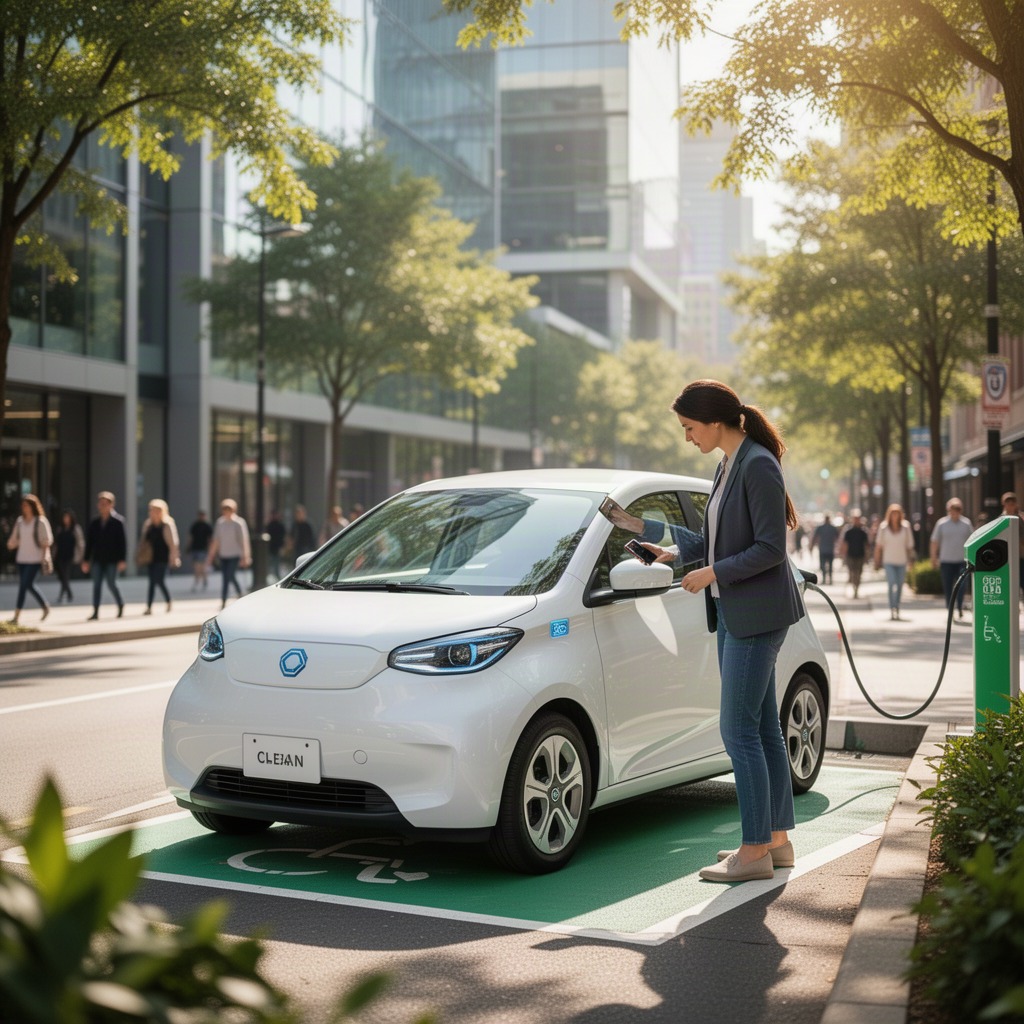
A designated space is a parking spot that Zipcar has arranged specifically for one of its vehicles. The company leases or secures these spots from garages, surface lots, apartment buildings, universities, and in some cities on-street parking that the local authority has set aside. Because the spot belongs to that particular car, the arrangement is sometimes called a round-trip model: you pick the Zipcar up in its home and you must bring it back to the same home at the end of your reservation.
Most designated spaces carry signage marking them as reserved for Zipcar, and many are painted or numbered so the right car ends up in the right slot. When you reserve a vehicle, the Zipcar app shows you the exact location of its home spot, usually with a pin on the map, the name of the garage or lot, the floor or level, and the stall number. Reading those details before you set out saves time, especially in multi-level garages where several Zipcar vehicles may be parked on different floors.
Key takeaway
The space is tied to the car, not to you. Whatever spot you took a Zipcar from is the spot you must return it to, unless the app or member services gives you a different instruction in writing.
A small but growing number of Zipcar vehicles operate under a one-way or flex arrangement in certain markets, where you can end your trip in a designated zone rather than the original spot. If your reservation uses that model, the Zipcar app makes it obvious and shows you the acceptable drop-off area. When in doubt, assume round-trip rules apply, because that is how the vast majority of the Zipcar fleet works.
Reading your home spot details
Before every trip, open the reservation in the Zipcar app and confirm three things: the lot or garage name, the level or section, and the stall number if one is listed. The app also notes any access instructions, such as a garage gate code, a parking pass that stays in the car, or a reminder that the space is behind a particular door. Zipcar includes these details precisely so that returning members know exactly where to steer the car.
At Pickup Note the Spot You Leave
The habit that prevents nearly every parking problem starts at pickup, not at return. When you unlock a Zipcar and before you drive off, take a mental photograph of the exact location: which level, which stall, where the pillar or wall sits relative to the car. Many experienced Zipcar members take an actual photo on their phone of the stall number or the surrounding landmarks. That picture becomes your reference when you circle back later.
While you are still in the spot, do a quick walk-around. Check for existing damage and report it through the Zipcar app if anything is new, note the fuel or charge level, and confirm that the Zipcard access card and any parking pass are where they belong. Doing this now means that when you return, your only job is to park the car and lock it, rather than hunting for the pass or wondering whether a scratch was already there.
Returning a Zipcar the Right Way
A correct return protects both you and the next member who has already reserved that Zipcar. The vehicle has to be back in its designated space, fully parked, before your reservation end time. Late returns can trigger fees and leave the next member stranded, so give yourself a buffer for traffic and for the few minutes it takes to park and finish the return steps in the app.
Here is the standard close-out routine for a Zipcar. Park the car squarely inside its home stall. Turn off the headlights and all interior lights. Roll the windows up. Return the keys to the holder, usually clipped near the steering column, and leave the parking pass visible if the lot requires it. Collect your belongings and any trash, then step out and lock the car through the Zipcar app or by holding your Zipcard to the reader on the windshield. Wait for the confirmation that the trip has ended.
End-of-trip checklist
- Car parked inside its designated Zipcar space
- Headlights and interior lights off
- Windows closed and sunroof shut
- Keys returned to the holder, parking pass left in place
- Personal items and trash removed
- Car locked and trip ended confirmed in the Zipcar app
Returning fuel or charge matters too. If a Zipcar drops below roughly a quarter tank, the company asks you to refuel using the fuel card found in the car, and electric vehicles should be plugged in or returned with the charge the trip rules specify. These steps are part of the same courtesy that keeps the whole Zipcar system working: the next person inherits exactly the ready-to-drive car you would want to find.
If you parked the Zipcar even slightly outside its marked space, straighten it before you lock up. A car parked over the line or in the wrong adjacent stall can block a neighbor and generate complaints that eventually trace back to your account. The few seconds it takes to center the vehicle keep your Zipcar record clean.
What to Do If Your Zipcar Spot Is Taken
Occasionally you drive back to a Zipcar home spot and another vehicle is sitting in it. This is frustrating, but it is a known situation that Zipcar is set up to handle. The single most important rule is this: do not panic, and do not simply abandon the Zipcar in a random spot and walk away. An improperly parked Zipcar can be ticketed or towed, and those costs and the hassle can land on you. Follow a deliberate process instead.
First, confirm you are in the right place. Open the reservation in the Zipcar app and re-read the home spot details: correct garage, correct level, correct stall number. In large garages it is surprisingly easy to be one floor off or facing the wrong row. More than a few members have called Zipcar about a stolen spot only to realize their actual stall was around the corner.
If you have confirmed the designated space is genuinely blocked by another car, contact Zipcar member services immediately. The phone number is in the app and on your Zipcard, and the line is staffed around the clock. Explain that you are returning a Zipcar, give the vehicle name and your location, and tell them the home spot is occupied. They will give you specific instructions, which usually means directing you to a nearby legal spot in the same lot or garage and noting the change on your account so you are not blamed for a return at the wrong location.
If the spot is taken
- Double-check the location. Re-read the home spot details in the Zipcar app and make sure you are on the right level and row.
- Call member services. Use the number in the app or on your Zipcard. The line is open 24 hours.
- Follow their instructions. Zipcar will direct you to the nearest safe, legal spot, usually in the same facility.
- Document everything. Photograph the blocked spot, the car in it, its license plate, and where you ended up parking the Zipcar.
- Note the time. If staying on the phone pushes you past your reservation end, member services can log that so you are not charged for the delay.
Documentation is your protection. Before and after you move the Zipcar, take photos: the occupied home spot, the offending vehicle and its plate, any signage, and the final spot where you leave the Zipcar. Timestamped photos make it easy for Zipcar to resolve the matter, waive any related fees, and pursue the owner of the car that blocked the space if the lot operator can do so.
Never create a new problem to solve the old one. Do not block a fire lane, a disabled space, a loading zone, or a resident spot in order to get the Zipcar off your hands. Do not double-park and leave. If member services has not yet answered and you cannot find a safe spot, stay with the car until you reach them. A Zipcar parked illegally helps nobody and can turn a ten-minute inconvenience into a towing bill.
When no safe spot exists at all
In rare cases, a garage may be full and the home spot blocked at the same time. This is exactly why you call Zipcar rather than guessing. Member services can authorize an alternate location, extend your reservation window at no fault to you, or coordinate with the facility. Because the instruction comes from Zipcar directly, you are covered: you acted on the company's guidance rather than making a risky choice alone.
Who Is Responsible for the Blocked Spot
When another vehicle takes a Zipcar home spot, responsibility depends on who parked there and why. If a non-member simply ignored the reserved signage, that is between the car's owner, the lot operator, and sometimes the municipality. You, as the returning member, are not at fault as long as you reported the problem through member services and parked the Zipcar legally where they told you to. This is why the call matters so much; it creates a record that you did the right thing.
If a previous Zipcar member returned a different car to the wrong stall, Zipcar handles that internally and the chain of returns gets corrected. In every version of this situation, the guiding principle is the same: follow the company's process, keep your evidence, and the account treats you as the member who cooperated. Members who abandon a Zipcar illegally without calling are the ones who may be held responsible for the resulting fines.
Protect yourself
A phone call to Zipcar plus a few photos is almost always enough to clear you of any ticket or fee tied to a blocked spot. Skipping the call is what puts your account at risk.
Parking Fees Tickets and Fines
A reservation's price includes gas, insurance, and the use of the Zipcar home spot, but it does not cover tickets or violations you cause. If you park a Zipcar illegally during your trip, feed a broken meter and get cited, or leave the car somewhere that gets it towed, those charges are yours. The company may also add an administrative fee for processing a citation that comes in against the vehicle.
By contrast, a parking issue caused by someone else blocking the designated space is not your financial responsibility, provided you reported it. This distinction is the whole reason the correct process exists. The table below summarizes the common scenarios and who typically carries the cost when you drive a Zipcar.
| Scenario | Who pays | What to do |
|---|---|---|
| You park the Zipcar illegally mid-trip and get a ticket | Member | Park legally; pay any citation received |
| Home spot blocked by a stranger's car | Not the member | Call member services and document it |
| You abandon the Zipcar illegally without calling | Member, plus possible fees | Always call before leaving the car |
| Return to wrong lot without authorization | Member, misplaced-vehicle fee | Return to the exact home spot or get approval |
If you receive a parking citation while driving a Zipcar, do not ignore it. Report it to member services and keep the paperwork, because the company often needs to coordinate with the issuing authority. Handling it promptly keeps a small ticket from growing into a larger fee on your Zipcar account.
Common Parking Mistakes to Avoid
The most frequent slip is returning a Zipcar to a visually similar but incorrect stall, particularly in large garages. The second is leaving the headlights on, which drains the battery and leaves the next member with a car that will not start. The third is forgetting the parking pass, which can get the Zipcar ticketed in a lot that checks for it. Each of these is simple to avoid with the pickup habit and the return checklist above.
Another mistake is treating a late return as harmless. Because the home spot and the next reservation are linked, a Zipcar that comes back late can set off a chain of problems for other members. If you realize you are running behind, extend your reservation in the app if the car is still free, and if someone has already booked it, head back promptly. Communicating through Zipcar is always better than silently returning late.
How to Return and Park Without Trouble
-
Step 1
Confirm the home spot before you leave at pickup
Open the Zipcar app, read the stall details, and snap a photo of the location so you can find it again.
-
Step 2
Plan your return with a time buffer
Give yourself extra minutes for traffic and parking so the Zipcar is home before your reservation ends.
-
Step 3
Park squarely in the designated space
Center the Zipcar in its stall, lights off, windows up, keys and pass in place.
-
Step 4
Lock the car and confirm the trip ended
Use the app or your Zipcard, then wait for the confirmation message before you walk away.
-
Step 5
If the spot is blocked, call before doing anything else
Reach Zipcar member services, follow their guidance, and photograph the situation.
Frequently Asked Questions
Where do I return my Zipcar?
You return a Zipcar to the exact designated home spot you took it from. The location is shown in the app with the garage or lot name, level, and stall number. Unless the app or member services tells you otherwise, round-trip rules apply and the car must come back to that same space.
What should I do first if someone is parked in my Zipcar spot?
Confirm you are at the right stall, then call Zipcar member services right away. The number is in the app and on your Zipcard, and the line is open 24 hours. They will direct you to a nearby legal spot and log the change so you are not held responsible.
Can I just leave the Zipcar in any open spot nearby?
Not on your own. You should only move the Zipcar to another spot if member services instructs you to, and even then it must be legal. Abandoning the car illegally without calling can leave you responsible for tickets or towing.
Am I charged if I get a parking ticket while driving a Zipcar?
If the ticket resulted from how you parked the Zipcar during your trip, yes, the citation is yours and the company may add an administrative fee. A ticket caused by someone else blocking the home spot is not your responsibility as long as you reported it.
Does my Zipcar reservation include the parking cost?
Yes. The use of the designated home spot is included with the Zipcar, along with gas and insurance. You pay only for parking you choose during the trip, such as a meter or garage while you are out running errands.
What if I return the Zipcar to the wrong spot by accident?
Contact Zipcar as soon as you realize the mistake. Returning the car to the wrong location can trigger a misplaced-vehicle fee and strand the next member, so moving it back to the correct home spot or getting authorization quickly is important.
Why do photos matter when my Zipcar spot is taken?
Timestamped photos of the blocked spot, the offending vehicle and plate, and where you parked the Zipcar give the company clear evidence. They make it easy to waive any fee tied to the situation and to pursue the owner of the car that caused the problem.
Need help now
Reach Zipcar Member Services Any Hour
If your home spot is blocked or anything about your return feels off, the Zipcar member services line is staffed around the clock. The number lives inside the app and on the back of your Zipcard. Keep it handy, call before you make any risky parking decision, and let Zipcar guide you to the right outcome.
Review the spot-taken steps